/* Resolv website — section components.
   Composes the design-system primitives from the compiled bundle. */
const { Button, IconButton, Badge, Card, AgentCard, SectionHeading, Avatar } =
  window.ResolvDesignSystem_a08a6d;

/* ----------------------------- Navbar ----------------------------- */
function Navbar({ onBook, page = "home" }) {
  const onHome = page === "home";
  const links = [
    { label: "How it works", href: onHome ? "#deploy" : "index.html#deploy" },
    { label: "Pricing", href: onHome ? "#pricing" : "index.html#pricing" },
    { label: "About", href: onHome ? "about.html" : "about.html", current: !onHome },
  ];
  return (
    <header className="rw-nav">
      <div className="rw-nav__inner">
        <a className="rw-brand" href={onHome ? "#hero" : "index.html"}>
          <img src="assets/mascot-icon.png" alt="" className="rw-brand__mark" />
          <span className="rw-brand__word">Resolv</span>
        </a>
        <nav className="rw-nav__links">
          {links.map((l) => (
            <a key={l.label} href={l.href} className={l.current ? "is-current" : ""} aria-current={l.current ? "page" : undefined}>{l.label}</a>
          ))}
        </nav>
        <div className="rw-nav__actions">
          <Button size="sm" onClick={onBook}>Get started</Button>
        </div>
      </div>
    </header>
  );
}

/* ----------------------------- Hero ----------------------------- */
function Hero({ onBook }) {
  return (
    <section className="rw-section rw-hero" id="hero">
      <div className="rw-hero__inner">
        <div className="rw-hero__copy">
          <Badge variant="jade" dot>From discovery to live in 21 days</Badge>
          <h1 className="rw-hero__title">AI agents built for your business</h1>
          <p className="rw-hero__sub">
            We build and deploy AI agents that handle your sales, operations, and
            back-office, so your team can focus on the work only people can do.
          </p>
          <div className="rw-hero__cta">
            <Button size="lg" iconLeft="calendar_today" onClick={onBook}>Book a free discovery call</Button>
            <Button size="lg" variant="secondary" iconRight="arrow_forward" href="about.html">Learn more</Button>
          </div>
          <div className="rw-hero__proof">
            <span><span className="material-symbols-rounded">bolt</span> Live in weeks</span>
            <span><span className="material-symbols-rounded">link</span> Connects to your tools</span>
            <span><span className="material-symbols-rounded">payments</span> Pay per outcome</span>
          </div>
        </div>
        <div className="rw-hero__art">
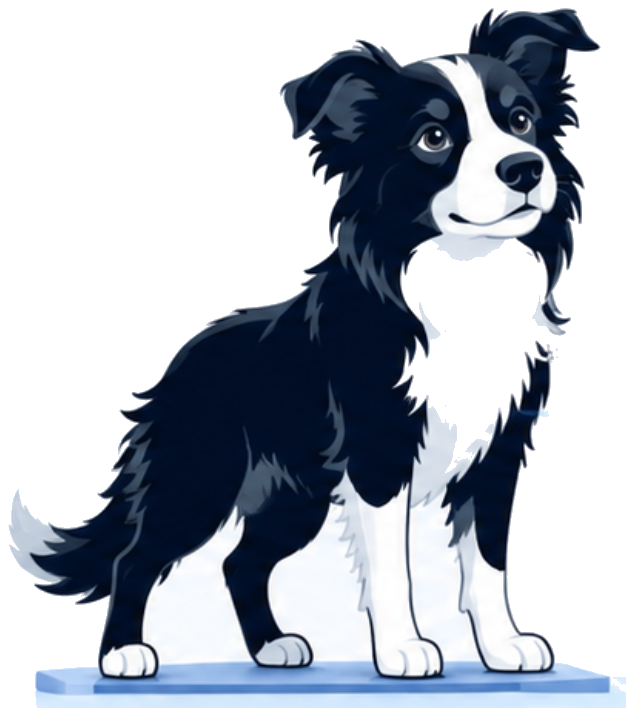
          <div className="rw-stack" role="img" aria-label="The Resolv mascot standing on top of your existing tools like Google Workspace, Microsoft 365, Slack, Xero, MYOB, QuickBooks and more, running document, approval, data, knowledge and communication workflows end to end.">
            <p className="rw-stack__motto">
              <span className="material-symbols-rounded">pets</span>
              Works like a dog. Priced on delivery.
            </p>
            <div className="rw-stacktop">
            <img className="rw-stack__dog" src="assets/mascot-standing.png" alt="" />
            </div>
            <div className="rw-stack__tier rw-stack__tier--a">
              <div className="rw-tile">Salesforce</div>
              <div className="rw-tile">HubSpot</div>
              <div className="rw-tile">Slack</div>
            </div>
            <div className="rw-stack__tier rw-stack__tier--b">
              <div className="rw-tile">Google Workspace</div>
              <div className="rw-tile">Microsoft 365</div>
              <div className="rw-tile">Zendesk</div>
              <div className="rw-tile rw-tile--muted">&amp; more</div>
            </div>
            <div className="rw-stack__tier rw-stack__tier--c">
              <div className="rw-cap"><span className="material-symbols-rounded">description</span>Documents</div>
              <div className="rw-cap"><span className="material-symbols-rounded">group</span>Approvals</div>
              <div className="rw-cap"><span className="material-symbols-rounded">database</span>Data</div>
              <div className="rw-cap"><span className="material-symbols-rounded">menu_book</span>Knowledge</div>
              <div className="rw-cap"><span className="material-symbols-rounded">forum</span>Comms</div>
            </div>
            <div className="rw-stack__base">
              <span className="material-symbols-rounded">verified_user</span>
              Secure. Monitored. Reliable.
            </div>
          </div>
        </div>
      </div>
    </section>
  );
}

/* --------------------------- Agent grid --------------------------- */
const AGENTS = [
  { icon: "campaign", title: "GTM agent", description: "Runs your go-to-market: content, competitive monitoring, and campaign coordination." },
  { icon: "forum", title: "SDR agent", description: "Qualifies leads, drafts outreach, and books meetings. Your pipeline moves without manual follow-up." },
  { icon: "menu_book", title: "Knowledge agent", description: "Answers questions about your business using your own documents and data." },
  { icon: "settings_suggest", title: "Operations agent", description: "Runs recurring operational workflows end to end, with a human only on the exceptions." },
  { icon: "rocket_launch", title: "Onboarding agent", description: "Walks every new customer through setup so they reach value on day one." },
];

function AgentGrid({ onBook }) {
  return (
    <section className="rw-section rw-muted" id="deploy">
      <div className="rw-container">
        <SectionHeading eyebrow="How it works" title="What we deploy" subtitle="AI agents that run your business workflows. Priced on what gets done." />
        <div className="rw-grid">
          {AGENTS.map((a) => (
            <AgentCard key={a.title} {...a} cta={false} />
          ))}
          <div className="rw-scopecard">
            <h3>Don't see your workflow?</h3>
            <p>We'll scope it. Bring us the process and we'll tell you if an agent can run it.</p>
            <Button variant="link" iconRight="arrow_forward" onClick={onBook}>Book a call</Button>
          </div>
        </div>
      </div>
    </section>
  );
}

/* -------------------------- How it works -------------------------- */
const PHASES = [
  { n: "01", title: "Discovery", price: "A$500", meta: "One week", desc: "We map the workflow and hand you a written plan you keep, whether or not you build with us." },
  { n: "02", title: "Build & deploy", price: "A$5K", meta: "Deployed in weeks", desc: "We build the agent, connect it to your existing tools, and put it live in your environment." },
  { n: "03", title: "Usage Based", price: "Pay per outcome", priceLabel: true, meta: "", desc: "You pay for outcomes completed, not hours, not seats. If the agent doesn't deliver, you don't pay." },
];

function HowItWorks({ onBook }) {
  return (
    <section className="rw-section" id="pricing">
      <div className="rw-container">
        <SectionHeading eyebrow="Pricing" title="Transparent pricing" subtitle="Three straightforward phases to get your agents running." />
        <div className="rw-phases">
          {PHASES.map((p) => (
            <Card key={p.n} padded className="rw-phase">
              <span className="rw-phase__n">{p.n}</span>
              <h3 className="rw-phase__title">{p.title}</h3>
              <div className={p.priceLabel ? "rw-phase__price rw-phase__price--label" : "rw-phase__price"}>{p.price}</div>
              <div className="rw-phase__meta">{p.meta}</div>
              <p className="rw-phase__desc">{p.desc}</p>
            </Card>
          ))}
        </div>
        <p className="rw-phases__note">
          <span className="material-symbols-rounded">verified</span>
          You only pay for completed work.
        </p>
      </div>
    </section>
  );
}

/* ----------------------------- CTA ----------------------------- */
function CTASection({ onBook, pricingHref = "#pricing" }) {
  return (
    <section className="rw-section rw-cta">
      <div className="rw-container rw-cta__inner">
        <h2>Ready to deploy your<br />first agent?</h2>
        <p>Book a free discovery call and we'll map out your workflow.</p>
        <div className="rw-cta__btns">
          <Button size="lg" variant="inverse" iconLeft="calendar_today" onClick={onBook}>Book a call</Button>
          <Button size="lg" variant="outline" href={pricingHref}>See pricing</Button>
        </div>
      </div>
    </section>
  );
}

/* ----------------------------- Footer ----------------------------- */
const FOOTER_COLS = [
  { h: "Product", items: ["How it works", "Pricing"] },
];

function Footer() {
  return (
    <footer className="rw-footer">
      <div className="rw-container">
        <div className="rw-footer__top">
          <div className="rw-footer__brand">
            <a className="rw-brand" href="#" onClick={(e) => e.preventDefault()}>
              <img src="assets/mascot-icon.png" alt="" className="rw-brand__mark" />
              <span className="rw-brand__word">Resolv</span>
            </a>
            <p>Works like a dog. Priced on delivery.</p>
            <div className="rw-footer__social">
              <IconButton icon="public" label="Website" size="sm" />
              <IconButton icon="alternate_email" label="Email" size="sm" />
              <IconButton icon="rss_feed" label="Updates" size="sm" />
            </div>
          </div>
          {FOOTER_COLS.map((c) => (
            <div key={c.h} className="rw-footer__col">
              <h4>{c.h}</h4>
              <ul>
                {c.items.map((i) => (
                  <li key={i}><a href="#" onClick={(e) => e.preventDefault()}>{i}</a></li>
                ))}
              </ul>
            </div>
          ))}
        </div>
        <div className="rw-footer__bottom">
          <span>© 2026 Resolv. Based in Melbourne, AU. Available worldwide.</span>
          <div className="rw-footer__legal">
            <a href="#" onClick={(e) => e.preventDefault()}>Privacy</a>
            <a href="#" onClick={(e) => e.preventDefault()}>Terms</a>
            <a href="#" onClick={(e) => e.preventDefault()}>Cookies</a>
          </div>
        </div>
      </div>
    </footer>
  );
}

Object.assign(window, { Navbar, Hero, AgentGrid, HowItWorks, CTASection, Footer });